
As you know because you just opened this, emails are everything. Every other platform rents you access to your audience. Email is the only one you own. And when you own an email list, theres no middleman between your brand and your customers. Emails are the most direct line to your audience.
If you’re a business owner, investing in email is a no-brainer, and the brands who do see a 40 percent increase in conversion. The ones who think about the psychology behind messages, test and iterate angles, and treat it like a system instead of a one-off task, are the ones who own their customer relationships.
This is all common knowledge though. What’s uncommon knoweldge is how you can set all of that up without losing your mind in the process.
At Giard & Co, we keep our ears to the ground with the newest tools and strategies to help us build at mach speed, and help brands signal trust and grow. (Check out how both us and birds think about trust).
This time around, we’re gonna rock your email world. We’ve tapped into Claude Cowork to build a system that makes email flows and campaigns super easy to create, and lets you stay creative instead of technical.
Below is the step-by-step guide. When you’re ready to build, follow it in order. Each step compounds on the last one.
Klayvio + Claude Email Generation System (make a copy to edit)
Who This Is For
This system works if you’re shipping multiple campaigns per month and tired of rebuilding each one. It works if you sell products with clear value props because the clearer the strategy, the faster this works. And it works if you’re willing to do the setup work upfront, knowing it compounds.
If you’re doing one campaign every six months, it’s overkill. If you’re constantly shipping, it’s your advantage.
The System
We’ve built this out as a step by step guide that you can follow. Here’s what you’re building toward:
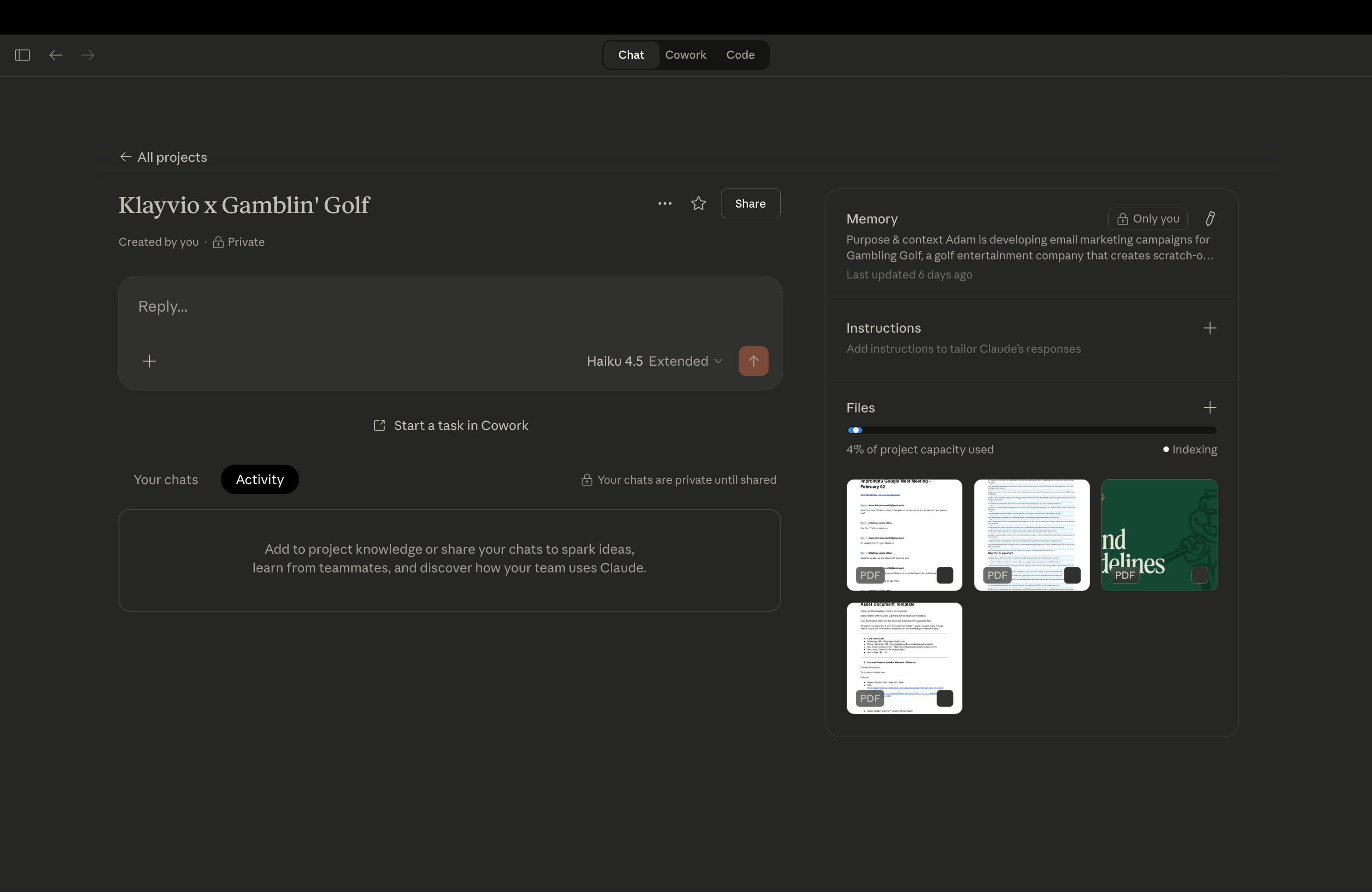
STEP 1 — Create Your Claude Project
Before, we spent our days in Figma redesigning email layouts, jumping into Klaviyo to manually adjust everything, then realizing we need to tweak it again. Now we grab a template from our library, jump into Claude Cowork, tell it what we’re building, and it handles the rest. Claude collaborates on the angle, works with us to write the copy, and stays true to our brand guidelines and founders voice.
Just strategy, then execution.
STEP 2 — Upload Brand Guidelines + Build Asset Library
Create a document with everything that defines how your brand looks and sounds:
Brand colors (HEX codes required)
Logos and visual elements
Tone guidelines (how you actually talk)
Product links
Image URLs
Shipping policies
Real customer testimonials
Guarantees or promises you make
Discount rules and thresholds
If it’s not in your Claude project, it won’t appear in your emails. This is your source of truth.
And if you’re in need of good visual elements for your brand but don’t have the budget or time for a product shoot, check out this letter for making creative assets on your own.
STEP 3 — Run Founder Strategy Interview
This is the step that prevents generic emails and keeps your messaging central. Founder-based emails are powerful because people like people.
Snag half an hour from your founder’s calendar (or yourself if you’re the founder). We use Fathom to record and transcribe the conversation.
Use the questions in the guide to interview:
What makes you different from competitors trying to solve the same thing?
What do customers hesitate over before buying?
What emotional shift do you sell? (Not the product itself, but how the customer feels after they buy)
Upload your transcript, generate a brand summary using the prompt in the document. This becomes your north star for every email you write.
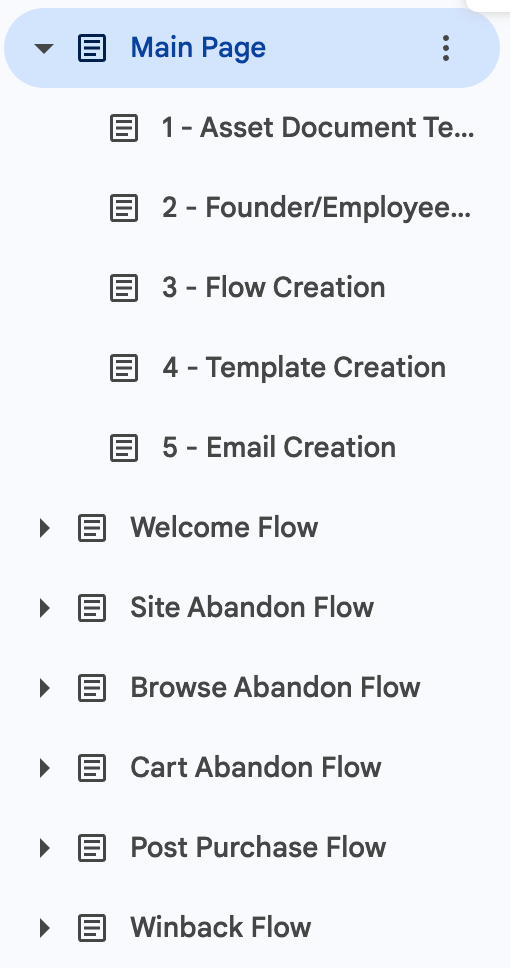
STEP 4 — Organize Your Flows & Strategy
Decide which flows you need. Standard ones are welcome, cart abandon, browse abandon, post-purchase, and winback. But build based on your strategy, not a checklist.
For each flow, define:
What is this flow responsible for? (Is it building trust? Creating urgency? Asking for repeat business?)
What’s the emotional driver? (Curiosity, FOMO, desire to belong, wanting to be seen as the person who does something)
What’s the customer objection we’re answering? (Price? Fear of not working? Social proof?)
For help organizing flows, we’ve built a slack communitu where we’re sharign the flows and templates we use that are converting. If that sounds up your alley, take the survey and we’ll get you access.
STEP 5 — Build Your Visual Template Library
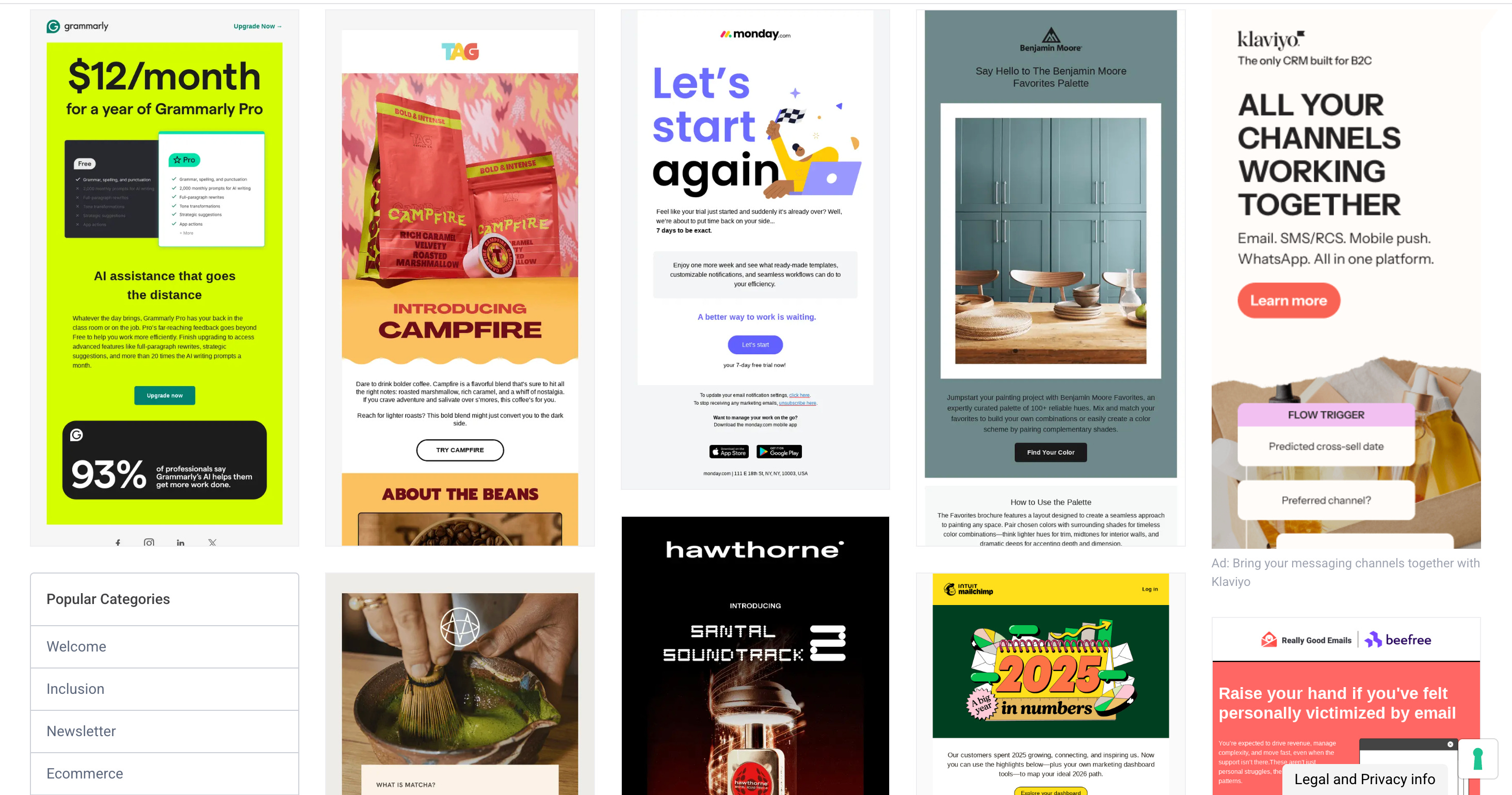
So, one layout doesn’t work for every situation. Your welcome series needs a different visual flow than your cart abandon sequence. Your post-purchase email looks different from your browse abandon. Instead of recreating layouts every time, you build 8-10, template variations that cover different use cases. Then you just swap the copy.
To find inspiration, look at emails from competitors or brands you admire. It doesn’t have to be in your industry. If you like the layout, the flow, the visual hierarchy, screenshot it. Save the good ones.
Look at emails from competitors or brands you admire. It doesn’t have to be in your industry. If you like the layout, the flow, the visual hierarchy, screenshot it. Save the good ones.
Here are the best places to find email inspiration:
Good Emails - Categorized by type (welcome, promotional, transactional, etc.) with thousands of real examples
Milled - Real emails from real brands, searchable by industry and type
Canva - Pre-built templates and inspiration gallery
Upload the inspiration emails to Claude. In the guide, you’ll see a code that tells it to convert the layout into Klaviyo-compatible HTML. You don’t need to know how to code. Claude does this for you. It pulls the structure, the spacing, the visual elements, and rebuilds it as clean HTML that Klaviyo will actually use.
Save each one as a named template, we recommend saving the HTML code within the google doc guide for easy access. Name them by purpose: “Welcome Series Template,” “Cart Abandon Template,” “Post-Purchase Template,” etc.
So now, layouts stay consistent. These templates are your foundation, and they don’t change week to week.
Copy changes per flow. The HTML stays the same. Only the words, the color accents, the product images, and the specific CTA buttons change based on which flow you’re building.
FINAL CHECK
Before writing any emails, your Claude project should contain:
Brand guidelines
Brand assets
Founder transcript
Brand summary
Email copy doctrine
Organized flow structure
BUILDING EMAILS
Once setup is complete, here’s the actual workflow:
Choose a template from your library
Define the email’s purpose and angle
Collaborate with Claude to nail the vision
Claude writes and optimizes copy
Insert copy into your HTML template
Paste final HTML into Klaviyo
That’s it! Happy emailing. And don’t forget your guide for the road.