
The Shopify Conversion Checklist You Need Before Launch
The art of getting them to add to cart

A professional-looking Shopify store means squat if nobody's buying. Hero image, product pages, checkout, brands will nail the basics and wonder why conversions are low.
Our guy Alex manages Shopify for multiple brands at Giard & Co. Before joining us, he launched his own golf apparel brand. Looking back, he explained exactly what he got wrong, and we compiled a checklist of everything he wished he knew.
He walked me through the difference between stores that convert at 0.5% and stores that convert at 2.5%+, and how it comes down to understanding which elements matter and how they work together.
Here’s what moves that needle.
1. Collections & Best Sellers
Categorization, as Alex explained, he thought was mainly for organization his first go-round. It is, but he learned the bigger value is as a conversion strategy.
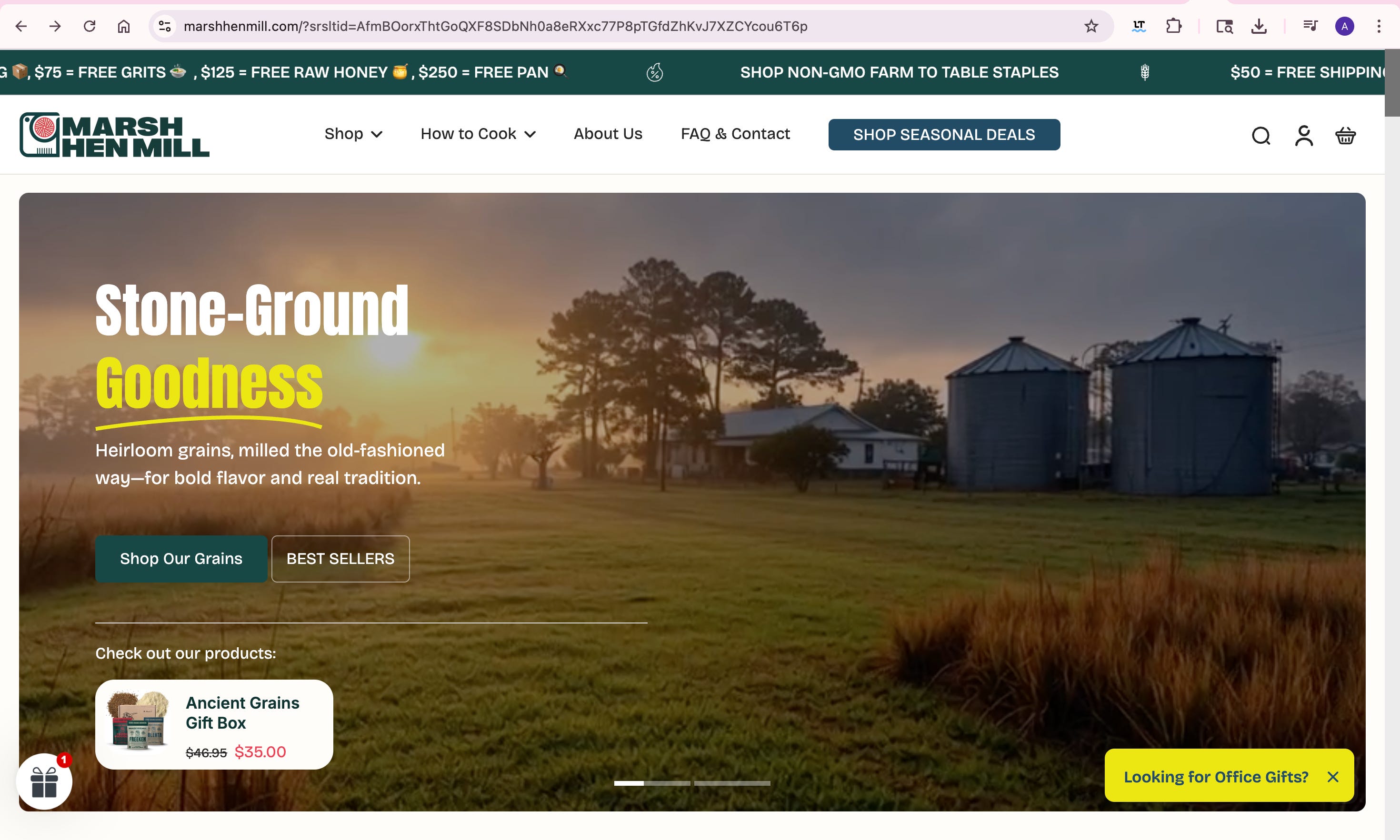
When someone lands on your homepage, they need a clear path forward. Collections and best sellers provide that path. They say: “If you’re not sure where to start, here’s what other people are buying.”
Without these, visitors see a wall of products with no hierarchy or guidance, so no reason to pick one over the other. That paralysis lowers conversion, so quit product dumping.
What this looks like on site:
Featured collections on your homepage (not just “Shop All”)
Best sellers section that updates based on sales data
Themed collections that speak to use cases as opposed to product types
Think “Grilling Essentials” instead of “Sauces.”
“Beginner Golf Kit” instead of “Golf Balls.”
✓ Must-haves:
At least 3 curated collections visible on homepage
“Best Sellers” section that auto-updates based on sales
Collection names that describe customer intent, not product categories
Each collection has 4-8 products
Clear visual hierarchy showing which collections matter most
2. Customer Testimonials (Placed Where Decisions Happen)
Think of testimonials as insurance for your brand.
The mistake Alex has made in the past is treating testimonials like a trophy case. He’d create a dedicated “Reviews” page, paste in some 5-star quotes, and call it done.
He quickly learned, that’s not where buying decisions happen.
Testimonials need to live on product pages, near the add-to-cart button. They need to answer the specific doubt someone has right before they buy.
What this looks like on site:
Star ratings directly under product title
3-5 specific testimonials on each product page (not generic “great product!” reviews)
Reviews that address common objections: fit, quality, shipping speed
Real names and locations
These can remove the last bit of friction before someone clicks “Add to Cart.”
✓ Must-haves:
Star rating visible on product pages above the fold
At least 3 testimonials per product with specific details
Reviews address common objections (quality, fit, value, shipping)
Reviewer names and locations included (builds authenticity)
Recent reviews featured (shows the product is currently selling)
3. UGC On Site is an Authenticity Multiplier
Instagram doesn’t have to hog all your user-generated content, it belongs on your Shopify store too.
Here’s why it works: seeing other people using your product removes doubt faster than any copy you write.
Alex explains the psychology: “UGC brings a level of authenticity. When you see other people that are just like you using the product instead of just ‘here’s our product, here’s the add to cart, we hope you like it,’ it makes it more real.”
What this looks like on site:
A carousel of customer photos/videos on your homepage (not buried on a separate page)
Real people using the product in real contexts
Mix of influencer content and everyday customers
Some brands only feature known creators. Others feature average customers. Both work, but everyday customers often perform better because they feel more relatable.
✓ Must-haves:
UGC carousel on homepage (not just product pages)
Mix of photo and video content
Real usage shots, not posed studio photos (we can help with that LINK)
Updated regularly (stale UGC feels fake)
4. Animations & Video Are Scroll Stoppers
Movement > Staticity when it comes to homepages.
What this looks like on site:
Hero section with subtle movement (rotating product shots, slow pans, text animations)
Product page videos showing the product in use
Hover effects on product tiles
Smooth transitions between sections
The goal is to guide attention to what matters.
✓ Must-haves:
Hero section has movement (video, carousel, or animation)
At least one video per product page (usage, unboxing, or feature demo)
Page transitions feel smooth (not janky or laggy)
Mobile-optimized (animations don’t kill load times on phones)
5. Product Page Assets (The Conversion Moment)
Your product page is where the decision happens. Everything else is just getting people there. Professional stores treat product pages like landing pages.
What this looks like on site:
Multiple high-quality photos from different angles
Lifestyle shots showing the product in context
Close-ups of key features or materials
Videos demonstrating use cases
Clear, scannable product details (not paragraph-form descriptions)
Don’t launch until you have assets ready. It’s the difference between looking like a brand and looking like a dropshipper.
✓ Must-haves:
Minimum 5-7 photos per product (multiple angles, close-ups, lifestyle shots)
At least one video showing product in use
Clean background studio shots AND real-world context shots
Zoomable high-resolution images
Clear size/variant selection with visual indicators
How These Elements Work Together
They need to work as a system.
A visitor lands on your homepage. They see your hero image (animation draws their eye). They scroll and see your best sellers (clear path forward). They click a product. They see strong assets (professional quality). They scroll and see UGC (other people really using it). They read testimonials (addressing their specific doubt). They add to cart.
That’s integration.
If any link in that chain is weak, the conversion doesn’t convert. It doesn’t matter how good your product photos are if your homepage gives people nowhere to go.
What You Need Before Launch
If you’re setting up your first Shopify store, here’s the lowdown:
Don’t launch until you have:
Product photos from multiple angles (minimum 5 per product)
At least one video per product showing it in use
3-5 real customer testimonials (even if from beta testers)
A small library of UGC content (even if it’s from friends using)
Good job Alex. Guess I'll finally test UGC on the homepage now.